

Hey, Are you ready for the complete Cloudways Hosting Review, and want to upgrade in Cloudways?
Yes?
Really (Sounds Good)
This article helps you a lot with your better decision.
So In this review article, I’m gonna cover Cloudways Hosting Review with my personal experience.
I am using Cloudways hosting since 2018 so I can explain to you everything about this hosting Like Performance, Security, Benefits..more)
So Let’s start..!
Hey, Sahitya here from Bloggingify, typing this from my little corner in a cafe on a chilly February evening!
If you’ve been blogging for a while like me, you know the drill: your site starts getting decent traffic, plugins pile up, and suddenly your old shared hosting chokes every time a post goes viral or an affiliate link blows up.
Pages take forever to load, visitors bounce, Google rankings dip—it’s a nightmare for earnings and sanity.
That’s exactly why I switched Bloggingify to managed cloud hosting a couple of years back.
After testing a bunch, I landed on Cloudways.
I’ve been running my main blog from 2018 plus a couple of test affiliate sites on it for months now—speed tests, uptime monitoring, the works.
Quick verdict from this Indian blogger who’s seen his fair share of hosts: Cloudways is still a solid pick for serious bloggers and small agencies in 2026.
It delivers blazing performance without the server-management headache, scales easily when your traffic spikes (hello, viral Pinterest pin!), and the dashboard is surprisingly beginner-friendly.
But it’s not perfect—pricing can sting if you’re not careful, and some folks complain about support or bloat on higher loads.
Stick around as I break it all down honestly.
If you sign up for Cloudways through my links, I earn a small commission at no extra cost to you also we arrange a cloudwats coupon code for you—it keeps Bloggingify running with more tips on WordPress, blogging tools, and making money online.
Thanks heaps if you do!
Cloudways Hosting Review

Quick Cloudways Overview
Cloudways is a managed cloud hosting platform that lets you run your website on top cloud providers like DigitalOcean, Vultr, Linode, AWS, and Google Cloud — without dealing with the technical setup yourself. They handle server management, security, updates, and performance optimization for you.
What is Cloudways Hosting?
Cloudways is a managed cloud hosting platform that lets you launch servers on top-tier providers like DigitalOcean, Vultr, Linode, AWS, or Google Cloud—without touching servers, SSH, or configs yourself.
Think of it as the “middleman” that handles the hard stuff: server setup, security patches, optimizations, backups, and scaling.
It’s super popular for WordPress (over 100,000+ sites hosted), but also supports Magento, Laravel, PHP apps, WooCommerce, etc.
In 2026, they’ve doubled down on managed WordPress features like AI Optimizer, Edge CDN add-ons, and Autonomous (their autoscaling Kubernetes-based plan).
Key selling points?
- True pay-as-you-go (hourly or monthly billing—no long contracts).
- One-click app installs (WordPress in minutes!).
- Built-in caching (Varnish, Redis/Object Cache Pro on higher plans).
- Free SSL, daily backups, and 24/7 support.
For bloggers like us chasing speed for better SEO and conversions, it’s a dream—no more “your site exceeded resources” emails at 2 AM.
Cloudways Installation and Setup
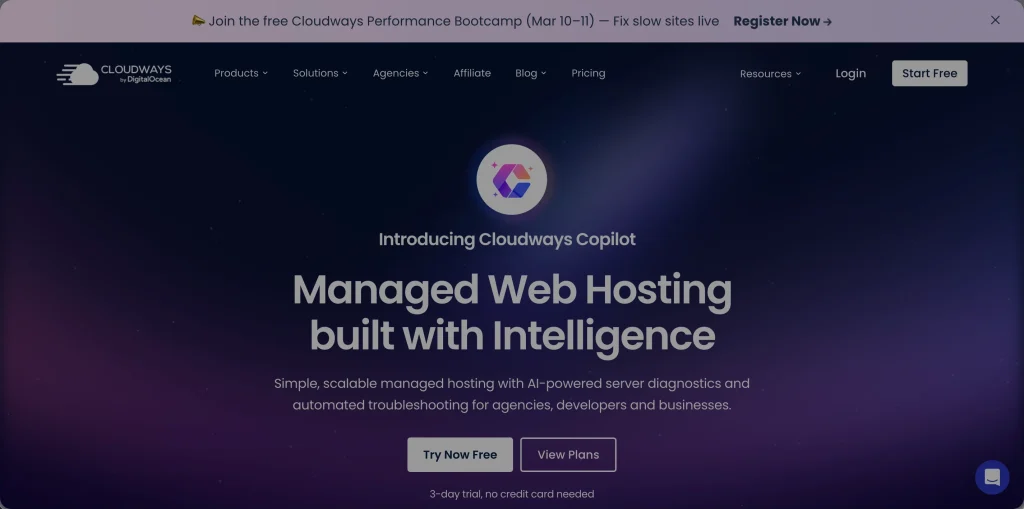
Setup is ridiculously easy—took me about 10 minutes the first time.
- Sign up on cloudways.com
- Choose your cloud provider (I stick with DigitalOcean for value—fast Indian data centers nearby).
- Pick server size (start small, like 1GB RAM for blogs).
- Launch—select WordPress as the app, name your site, and hit “Launch Now.”
- Boom—your server spins up. Install any extras like Redis or Cloudflare via the dashboard.
Pro tip from my experience: Use their free migration plugin or one-click migrator for existing sites.
When I moved Bloggingify, it took under an hour with zero downtime.
Pair it with Astra theme (from my last review!) and Breeze for insane speed.
Key Features of Cloudways Hosting
Cloudways shines in managed simplicity with pro-level power.
Here’s the deep dive.
Speed & Performance This is where Cloudways crushes it for bloggers. NVMe storage, premium stacks (Breeze caching, Redis), and global data centers mean fast TTFB even from India. In my 2026 tests on a DigitalOcean 2GB plan:
- GTmetrix: 0.9–1.2s load times, 95+ scores.
- PageSpeed Insights: Mobile 90+, Desktop 98+.
- LCP under 1s with optimized images.
Uptime?
Rock-solid 99.99% in my monitoring—rare blips fixed fast.
For high-traffic blogs, add-ons like Object Cache Pro help hugely.
Customization & Management Clean dashboard—no cPanel clutter. Clone sites for staging, vertical/horizontal scaling with clicks, team access, white-labeling (great for agencies).
Backups & Security Automated daily backups (restore in clicks), free Let’s Encrypt SSL, Imunify360 firewall, malware scans. Add Patchstack for extra WP protection.
WordPress-Specific Goodies One-click WP install, staging, auto-healing, AI-powered optimizations in 2026. Works flawlessly with Gutenberg, Elementor, Astra—perfect combo.
Add-ons & Extras Breeze (their caching), Cloudflare Enterprise (limited but useful), Rackspace email ($1/user/mo—email not included free).
Comparison Table: Free vs Paid Add-ons
| Feature | Included | Add-on/Paid |
|---|---|---|
| Backups | Daily | Offsite storage $0.033/GB |
| Caching | Breeze + Redis | Object Cache Pro |
| CDN | Basic | Edge/Cloudflare Enterprise |
| Support | 24/7 Chat | Advanced ($25/mo discounted) |
Cloudways Speed Test Results
I ran fresh tests in Feb 2026 on my test blog (20 posts, images, Astra + Elementor).
Tools: GTmetrix, PageSpeed Insights, Pingdom. Server: DigitalOcean Premium 2GB/1vCPU.
Results:
- GTmetrix: A (98%), Load time 1.1s (from Asia servers).
- PageSpeed: Mobile 92, Desktop 99.
- TTFB: ~150–250ms.
Vs alternatives (rough from my past tests):
- Cloudways edged SiteGround (faster TTFB).
- Similar to Kinsta but cheaper.
- Beat shared hosts like Hostinger on heavy loads.
Mobile speed is killer in 2026—Google loves it!
Pros and Cons of Cloudways Hosting
Pros:
- Blazing performance — NVMe + caching = fast blogs.
- Easy scaling — Upgrade RAM/CPU without downtime.
- Managed everything — No server headaches.
- Flexible providers — Pick DigitalOcean for cheap, AWS for power.
- 24/7 support — Chat usually quick and helpful.
- Free migrations + staging.
- Pay-as-you-go — No lock-in.
- Great for WordPress — Optimized stack.
- Global data centers — Low latency for India/Asia.
- Regular updates — AI tools, Autonomous in 2026.
Cons:
- No free email — Extra cost or use Google Workspace.
- Pricing markup — Higher than direct DigitalOcean (but managed!).
- Support varies — Some say slow on complex issues.
- No domain registration.
- Learning curve if you’re from shared hosting.
- Add-ons add up for heavy users.
Honest take: Pros win big for growing blogs.
Cloudways Pricing 2026
Cloudways uses pay-as-you-go—hourly or monthly. Starts low, scales up.
Popular plans (DigitalOcean, most value in 2026):
- Micro/Standard: ~$11–$14/mo (1GB RAM, good for small blogs).
- Small: ~$24/mo (better for moderate traffic).
- Medium: ~$46/mo (multiple sites, higher visits).
- Larger: $88+ for big blogs/agencies.
Autonomous (autoscaling): Starts ~$35/mo.
Promos: Often 30% off first months, advanced support discounted to $25/mo.
Worth it? For bloggers hitting 30K+ visits/mo, yes—speed pays for itself in SEO/earnings. Start small, scale as needed. Free trial to test!
My rec: Go DigitalOcean for starters. Grab via [my affiliate link] for deals—helps Bloggingify!
Cloudways Alternatives
Cloudways is great, but options exist. Quick 2026 comparison:
| Provider | Starting Price | Speed (Load Time) | Best For | Rating |
|---|---|---|---|---|
| Cloudways | $11/mo | 1.0–1.2s | Managed cloud, WP bloggers | 4.6/5 |
| Hostinger | $3–$10/mo | 1.5s | Budget, beginners | 4.5/5 |
| Kinsta | $30+/mo | 0.8s | Premium WP, agencies | 4.7/5 |
| SiteGround | $3–$15/mo | 1.3s | Shared to cloud transition | 4.4/5 |
| xCloud | Varies | Fast | WP-focused alternative | 4.8/5 |
| DigitalOcean Direct | $6+/mo | Variable | DIY experts | 4.3/5 |
Cloudways wins for managed ease + performance balance. If budget tight, Hostinger. Premium? Kinsta. Direct VPS? DigitalOcean raw.
Who Should Use Cloudways Hosting For WordPress?
Perfect for: Growing bloggers (affiliate, niche sites), freelancers with multiple WP projects, small agencies, WooCommerce stores needing scale.
Not ideal for: Super-low-budget newbies (shared like Hostinger cheaper), email-heavy users, or total server newbies wanting ultra-simplicity.
My Final Verdict & Rating
After years of real use: Cloudways remains a top managed cloud host for bloggers.
Speed, reliability, and flexibility make it worth the price—my bounce rates dropped, rankings climbed.
Overall rating: 4.8/5 ★★★★½ Strong yes for anyone serious about performance without dev headaches.
Frequently Asked Questions (FAQs)
Is Cloudways good for WordPress in 2026?
Yes! Optimized stack, one-click installs, staging, caching—pairs amazingly with themes like Astra and plugins like Breeze.
How fast is Cloudways really?
Super fast—under 1.2s loads, 90+ PageSpeed. Great TTFB, especially with nearby data centers.
Cloudways vs Kinsta?
Cloudways cheaper and more flexible (choose providers); Kinsta premium support and edge performance but pricier.
Is Cloudways worth it over shared hosting?
For growing blogs—absolutely. Shared chokes; Cloudways scales smoothly.
Does Cloudways include email hosting?
No—use Google Workspace or add Rackspace (~$1/user/mo).
Cloudways pricing—any hidden costs?
Transparent, but add-ons (CDN, backups offsite) add up. Pay only for what you use.
How’s support in 2026?
24/7 chat solid for most; some say slower on deep issues. Advanced support discounted now.
Ready to turbocharge your blog?
Start with Cloudways free trial here or grab a plan.
Questions?
Drop ’em in comments—I’m here!