
Hey everyone, Sahitya here from Bloggingify!
If you’re anything like me—juggling client calls, team huddles, podcast interviews, and the occasional late-night brainstorming session—you know the struggle of trying to stay present while frantically scribbling notes or hoping you don’t miss a key action item.
I’ve been there too many times.
Back in 2026, I started using AI notetakers seriously because my old method (typing in Google Docs + praying) was killing my focus and productivity.
Fast forward to 2026, and tools like Fireflies.ai have evolved big time.
In this honest Fireflies AI review, I’ll share my real experience after testing it across dozens of meetings (Zoom, Google Meet, Teams—you name it) over the past few months.
As an Indian blogger running Bloggingify, I deal with a mix of English, occasional Hindi phrases, and sometimes noisy home-office backgrounds, so I paid extra attention to how well it handles real-world chaos.
Quick verdict upfront: Fireflies is still one of the strongest AI meeting assistants in 2026, especially if you need solid transcription, smart summaries, and CRM magic.
But it’s not flawless—there are some gotchas around privacy, costs, and limitations that I’ll lay out plainly.
This post contains affiliate links. If you sign up for Fireflies via my links, I earn a small commission at no extra cost to you—it helps keep Bloggingify free and full of tips for bloggers and online creators.
Thanks in advance if you do!
Fireflies AI Review
Quick Summary
Fireflies.ai is a highly-rated AI meeting assistant that automatically records, transcribes, and summarizes voice conversations across platforms like Zoom, Google Meet, and Teams.
What is Fireflies AI?
Fireflies.ai is an AI-powered meeting assistant that automatically joins your video calls (or lets you upload audio/video files), transcribes everything in real time, generates summaries, pulls out action items, and even analyzes conversations for insights like sentiment or talk time.
Founded back in the day, it’s now a unicorn-valued tool (over $1 billion) used by millions, including big names from 75% of Fortune 500 companies.
The core promise?
Let the AI handle the boring stuff so you can focus on the conversation.
It works seamlessly with Zoom, Google Meet, Microsoft Teams, Webex, and more. You can also use the mobile app for in-person chats, a Chrome extension for quick Meet recordings, or the new desktop app.
In 2026, they’ve added Live Assist (real-time guidance during calls) and better integrations, making it feel more like a virtual teammate than just a recorder.
For bloggers, freelancers, or anyone doing client calls/podcasts, it’s a game-changer for creating searchable archives of discussions—super useful when you need to reference what a guest said months ago or track affiliate deal details.
How Fireflies AI Works & Setup?
Setup is dead simple—took me under 5 minutes.
- Sign up on fireflies.ai (free tier available).
- Connect your calendar (Google/Outlook) so it auto-joins scheduled meetings.
- Invite the “Fred” bot to your calls (or set it to join automatically).
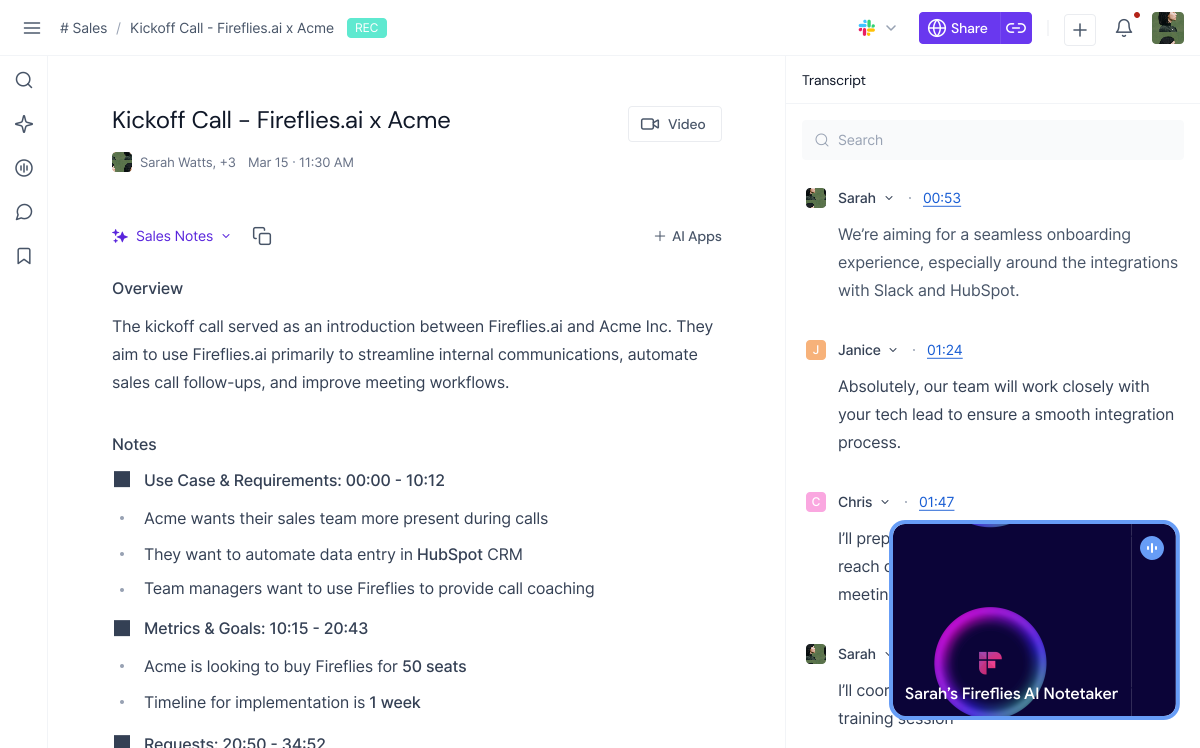
- After the meeting, Fireflies processes the audio in minutes and drops transcripts, summaries, and insights into your dashboard.
Pro tip from my testing: Always test with a dummy call first. I once forgot to tweak privacy settings, and the bot joined a family video chat—awkward!
Also, enable custom vocabulary if you use niche terms (like “SEO backlinks” or Hindi words)—it boosts accuracy noticeably.
Key Features of Fireflies AI
Fireflies packs a ton of punch. Here’s the breakdown of what stood out in my 2026 tests.
Transcription & Accuracy
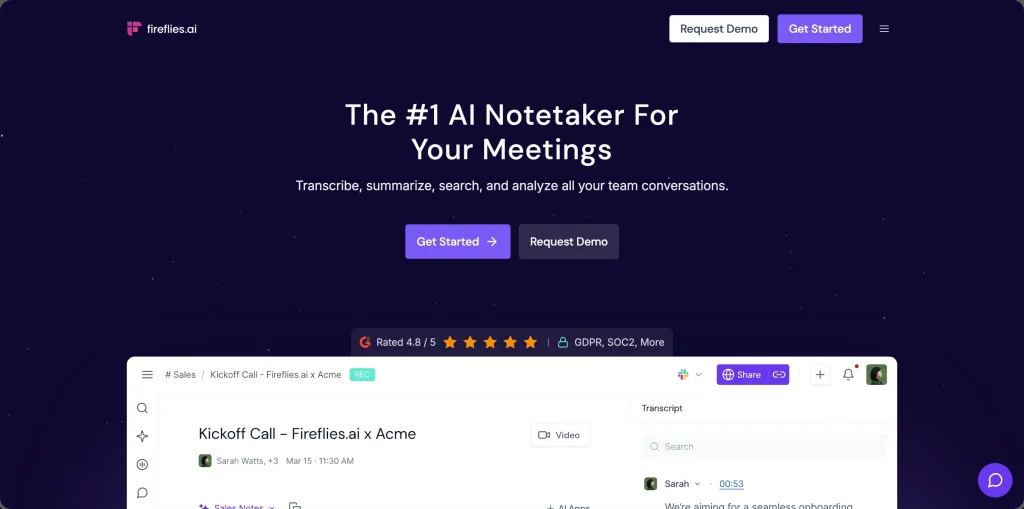
The transcription is excellent—90-95% accurate in my mixed-accent calls. It handles English well, picks up some Indian English nuances, and even does okay with background noise if not too crazy.
Real-time transcripts appear during calls (via extension/desktop app), and post-meeting ones are searchable. Speaker identification is solid most times, though it confuses similar voices occasionally.
AI Summaries & Action Items
This is where Fireflies shines. Summaries are concise and bullet-pointed, with key topics, decisions, and tasks auto-detected.
In my client calls, action items were spot-on 85% of the time—saved me hours rewriting notes.
New in 2026: better topic trackers and sentiment analysis (e.g., “deal closed positively”).
Search & Collaboration
The dashboard lets you search across all meetings by keyword, speaker, or topic. Great for bloggers pulling quotes!
Team workspaces allow sharing transcripts/summaries—perfect for collaborative projects.
Integrations & Automations
Over 200+ apps: Slack, Notion, Salesforce, HubSpot, Zapier. For me, auto-posting summaries to Slack or updating CRM contacts is gold.
It can even push tasks to tools like Asana.
Analytics & Insights
Talk-time breakdowns, sentiment scores, and topic trends. Useful for sales calls or coaching sessions, but less critical for pure blogging/podcasting.
Video Recording & Mobile
Video is Business tier and up (audio-only on lower plans). Mobile app works for in-person—handy for meetups.
Privacy & Security
SOC 2 compliant, but the bot joins calls (some see it as intrusive). Data stored in US by default—check GDPR needs. You can delete recordings easily.
My Real-World Testing Experience
I ran Fireflies on ~40 meetings: client consults, podcast recordings, team brainstorms. Highlights:
- Auto-join reliability: 98% success rate—no more “oops, forgot to invite the bot.”
- Speed: Transcripts ready in 5-10 mins post-call.
- Accents/Noise: Handled my Agra home setup (fans, street noise) better than expected, but thick accents dropped accuracy to ~85%.
- Time saved: Easily 1-2 hours/week not note-taking.
One funny fail: During a Hindi-English mix call, it garbled a few phrases but still caught the gist in summaries.
Pros and Cons of Fireflies AI
Pros:
- Top-tier transcription accuracy for most scenarios.
- Smart, actionable summaries and action items.
- Seamless integrations with CRM/Slack/etc.
- Unlimited storage/transcription on paid plans.
- Affordable entry with generous free tier.
- Searchable archive across all meetings.
- Team collaboration features.
- Regular updates (Live Assist, desktop app in 2026).
- Mobile + extension support.
- Strong for sales/product teams.
Cons:
- Bot joining calls feels intrusive to some (privacy red flag).
- Video recording locked to higher tiers.
- AI credits for advanced features (AskFred, custom apps) add hidden costs.
- No automatic language detection—struggles with heavy multilingual.
- Free tier limits (800 mins storage, basic features).
- Occasional speaker mix-ups or noise issues.
- US data storage may concern EU users.
Fireflies AI Pricing 2026
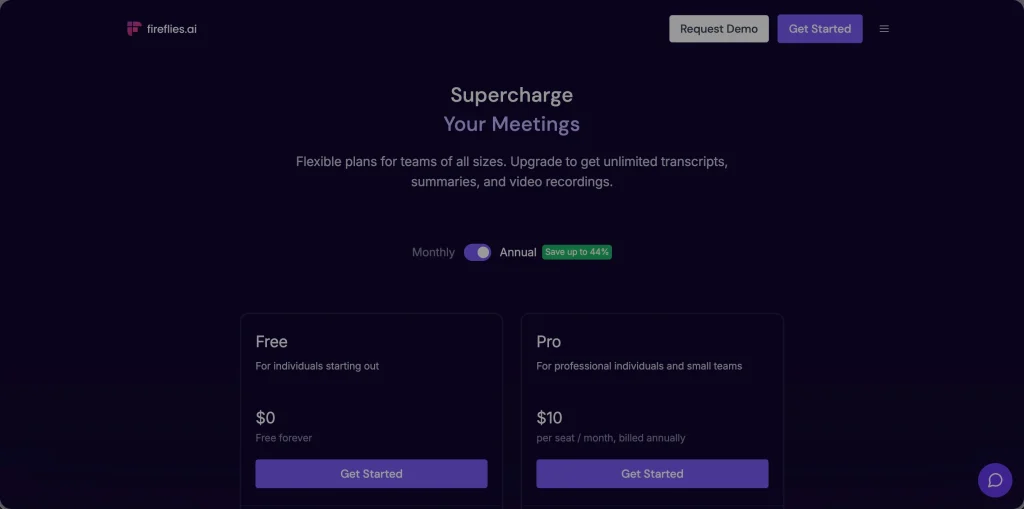
Fireflies has four tiers (billed monthly or annually—annual saves ~40-44%):
- Free: $0 – 800 mins storage/transcription, basic summaries, limited integrations. Good to test.
- Pro: $10/user/mo (annual) or $18 monthly – Unlimited transcription (for hosted meetings), AI summaries, basic CRM, 8,000 mins storage.
- Business: $19/user/mo (annual) or $29 monthly – Unlimited everything, video recording, advanced analytics, full integrations.
- Enterprise: $39/user/mo (annual) – SSO, custom rules, priority support, add-on AI credits (~$5+/user/mo extra for heavy AI use).
For bloggers/freelancers, Pro is usually enough.
I started on Free, upgraded to Pro quickly—the unlimited summaries alone were worth it. Watch for AI credit upsells if you use AskFred heavily.
Fireflies AI Alternatives
Quick comparison table (based on my tests and 2026 reviews):
| Tool | Starting Price | Best For | Transcription Accuracy | Key Strength | Rating |
|---|---|---|---|---|---|
| Fireflies.ai | Free / $10 | CRM automation, teams | Excellent | Integrations | 4.7/5 |
| Otter.ai | Free / $10 | Live collaboration, mobile | Very good | Real-time editing | 4.6/5 |
| tl;dv | Free / $20 | Video focus, no bot | Strong | Privacy, unlimited video | 4.8/5 |
| MeetGeek | Free / $15 | Analytics depth | Good | Insights | 4.5/5 |
| Fellow | Free / $7 | Team meetings | Solid | Agenda + notes | 4.6/5 |
Fireflies edges out for integrations and summaries, but if bot privacy bugs you, tl;dv or Otter might suit better.
Who Should Use Fireflies AI?
Ideal for: Sales pros, podcasters, coaches, freelancers, small teams needing CRM sync and searchable notes. Great if meetings are your main workflow bottleneck.
Not ideal for: Super privacy-focused folks, heavy multilingual teams, or those wanting no-bot experience.
My Final Verdict & Rating
After months of use, Fireflies AI remains a top contender in 2026. It’s reliable, feature-rich, and genuinely saves time—especially the summaries and automations. Minor gripes like bot presence and extra costs don’t kill it for me.
Overall rating: 4.7/5 ★★★★½
Highly recommended if you do 5+ meetings/week.
Start free and see!
Frequently Asked Questions (FAQs) | Fireflies AI Review
Is Fireflies AI free?
Yes, the free plan gives 800 mins storage/transcription, basic summaries, and core features. Enough to test properly, but upgrade for unlimited.
How accurate is Fireflies transcription in 2026?
90-95% in standard English calls; drops with heavy accents/noise. Custom vocab helps a lot.
Does Fireflies work with Zoom, Google Meet, Teams?
Yes—all major platforms, plus dial-in and uploads.
Is Fireflies good for privacy?
Solid security (SOC 2), but the bot joins calls and data is US-stored. You control deletions/sharing.
Fireflies vs Otter.ai 2026?
Fireflies better for integrations/CRM; Otter for live collab/mobile. Both excellent—depends on needs.
Are there hidden costs in Fireflies?
AI credits for advanced queries/apps add up on heavy use. Video on Business+.
How fast are summaries ready?
Usually 5-15 mins post-meeting.
Can Fireflies handle in-person meetings?
Yes, via mobile app recording.
Ready to try Fireflies?
Drop your experiences or questions in the comments—happy to chat!